MetaDefender Endpoint 、Windows(v7.6.2603)、macOS(v10.4.2603)、Linux(v15.6.2603)の各プラットフォームにおいて、さまざまな新機能と機能強化が盛り込まれています。これらの新機能は、エンドポイントのセキュリティとコンプライアンスを強化し、パフォーマンスを最適化するとともに、MetaDefender Endpoint 周辺機器やリムーバブルメディアによる脅威からより容易に身を守れるようにすることを目的としています。
MetaDefender Endpointの新機能
組み込み型マルウェア対策スキャン機能を搭載した「MetaDefender Endpoint 」のご紹介
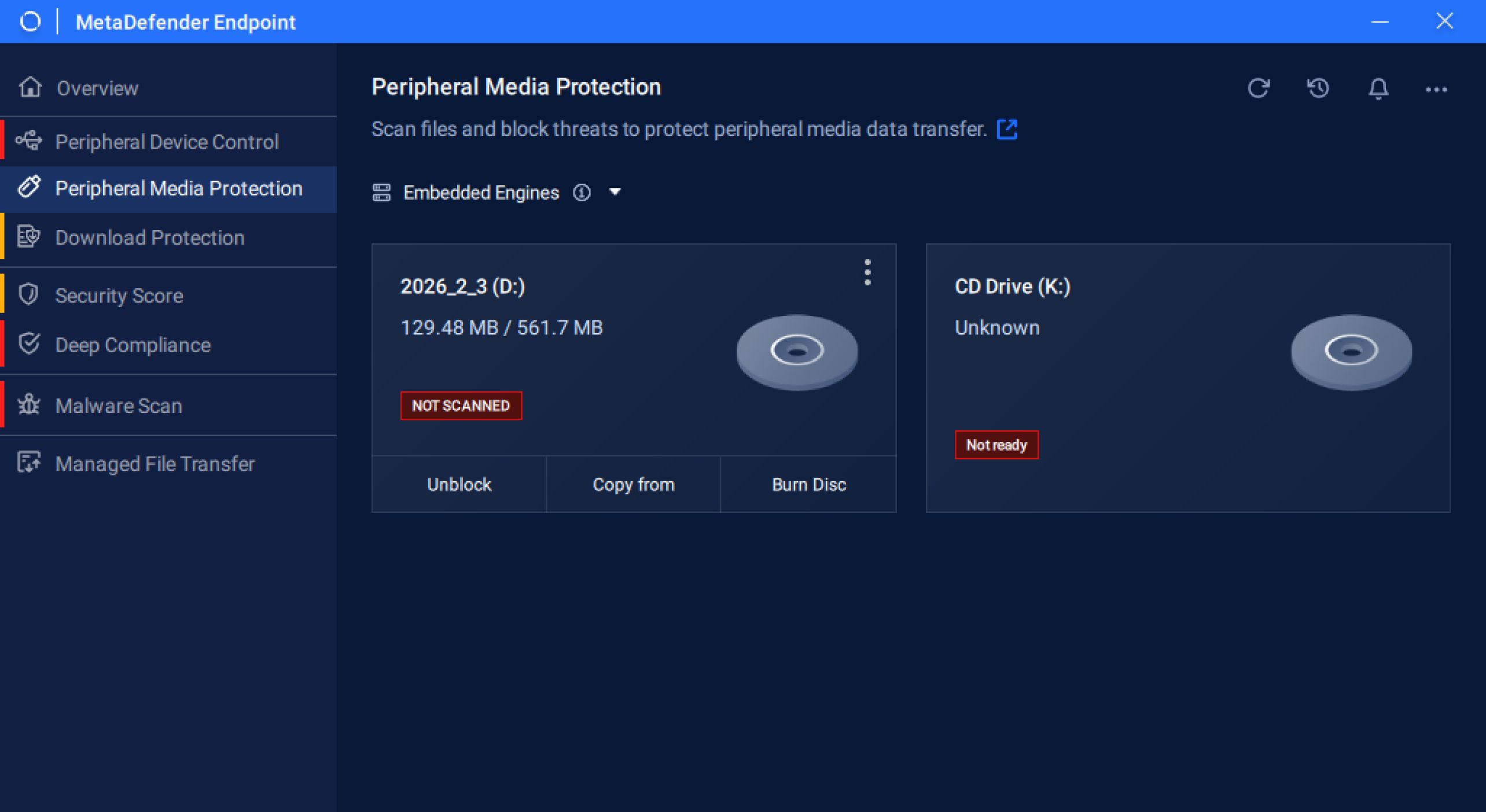
マルウェア対策エンジンを組み込んだ「MetaDefender Endpoint 」のリリースを大変嬉しく思います。本製品は、「周辺Media 」、「ダウンロード保護」、「マルウェアスキャン」といった主要機能において、継続的かつ途切れることのない保護を提供します。
Windows ARM64 デバイス向けの周辺Media の拡張
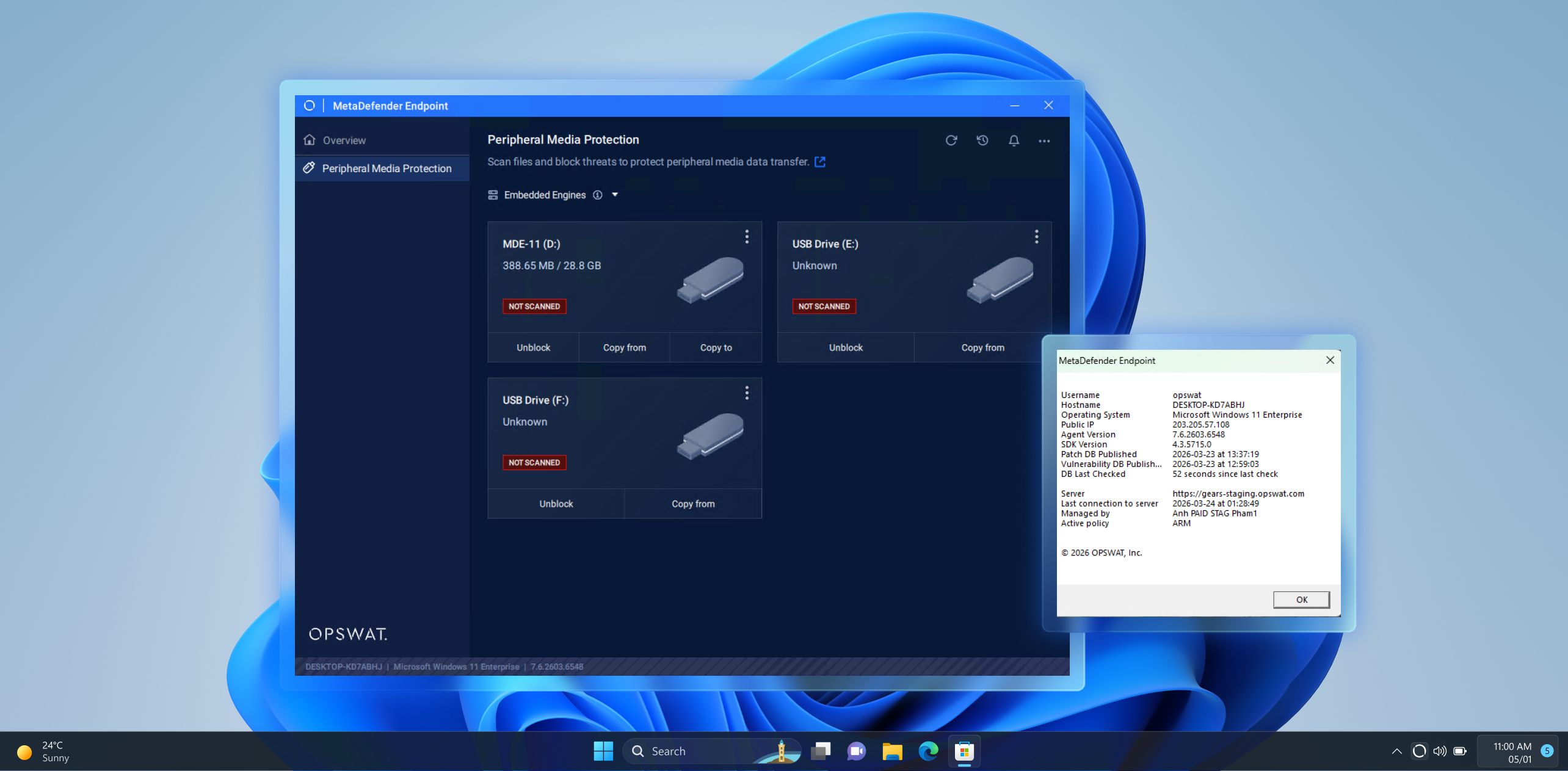
MetaDefender Endpoint Media Windows ARM64デバイスにも拡張し、より幅広い最新のエンドポイントに対して同等の堅牢なセキュリティ制御を提供します。このサポートの拡大により、不正または危険なリムーバブルメディアに対する一貫した保護が可能となり、組織はあらゆるデバイスを隙間なく保護できるようになります。
Hardware に関するインサイトによる、より高度なデバイス制御と可視性の向上
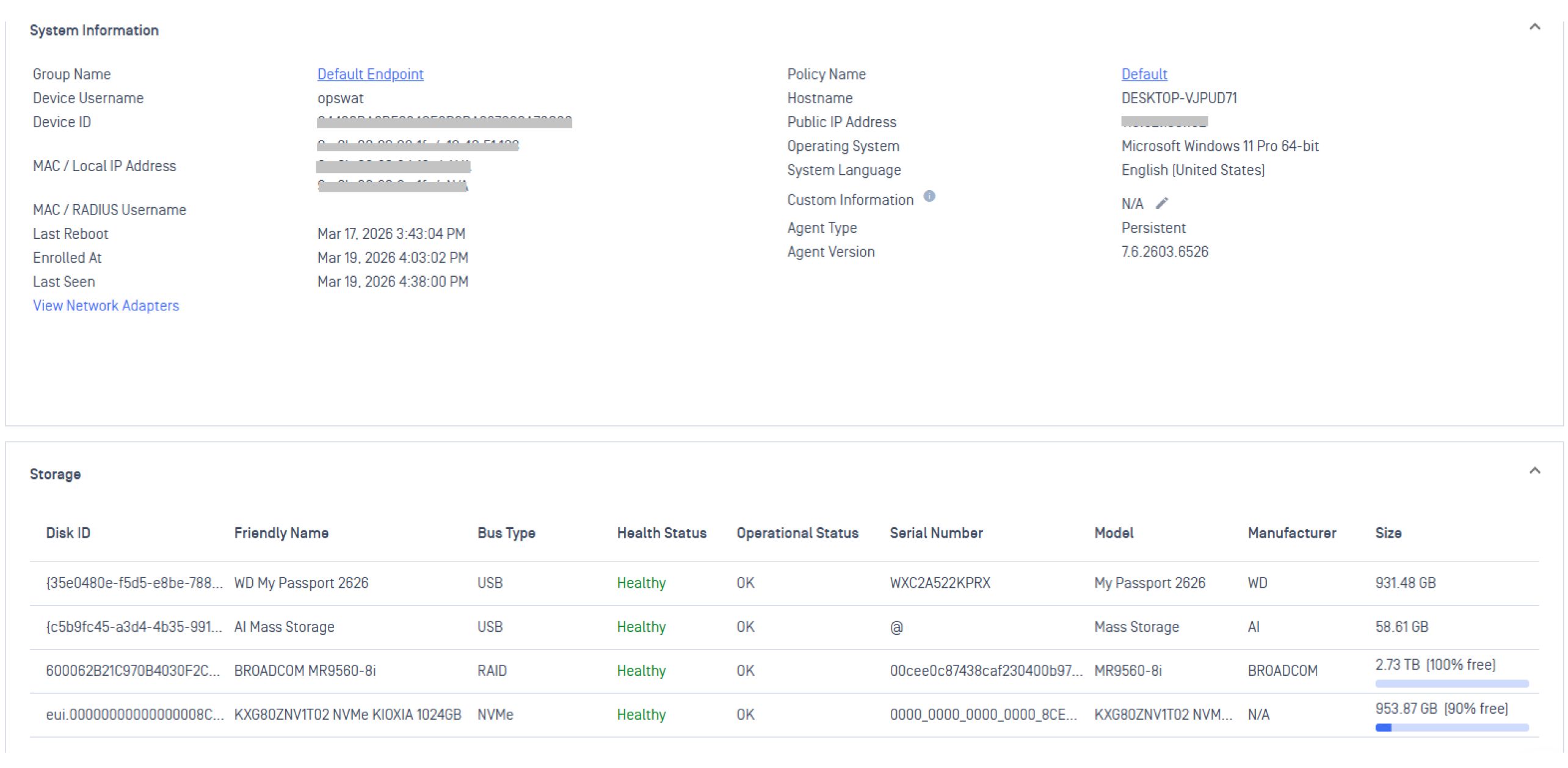
本リリースでは、温度、RAIDステータス、ドライブ障害に関する分析情報など、エンドポイントのハードウェア状態に関するレポート機能が強化され、デバイスの管理がさらに容易になります。これらの機能により、管理者やITチームは問題を未然に検知し、ダウンタイムを削減し、あらゆる環境においてデバイスのパフォーマンスを最適な状態に維持することができます。
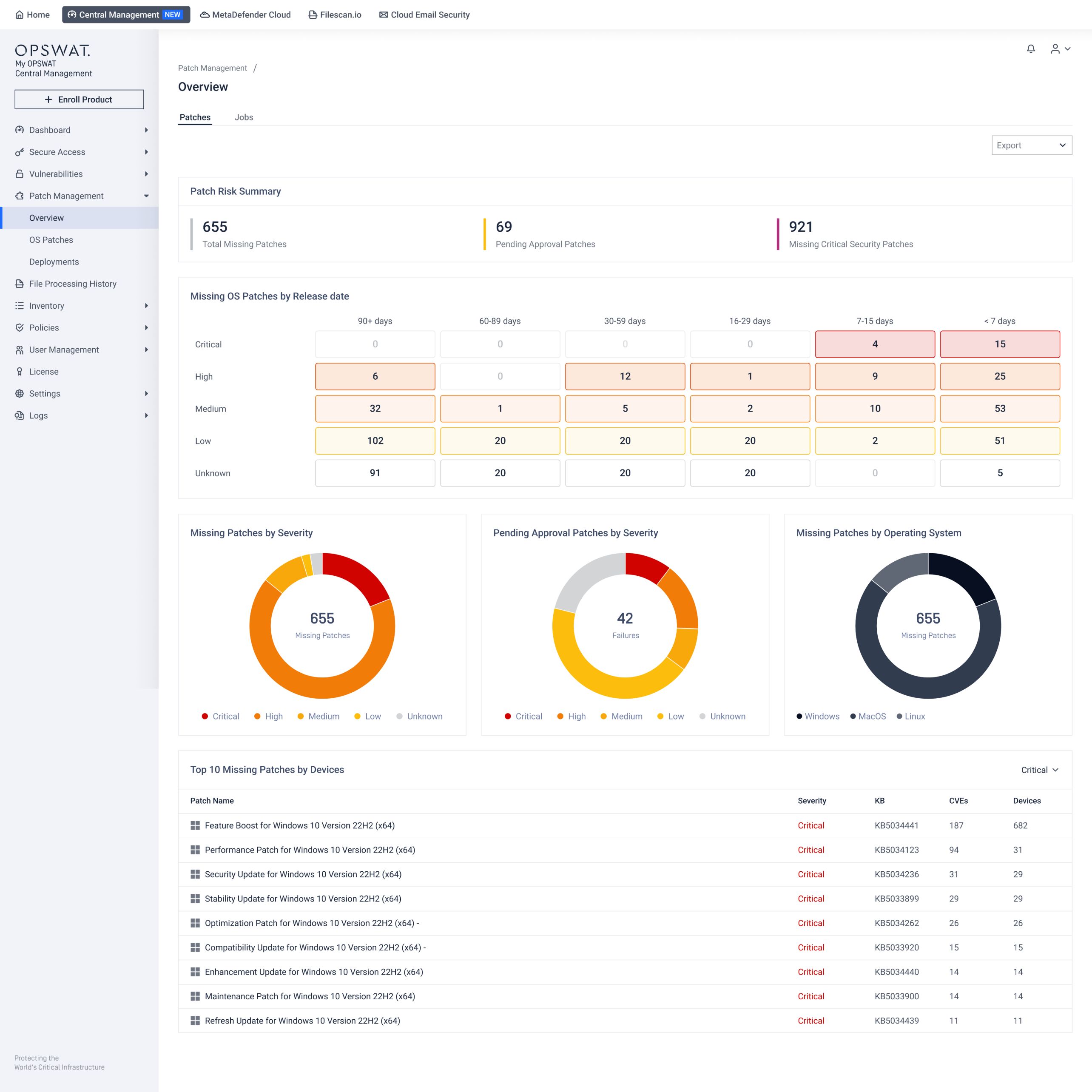
新しいPatch Management 画面
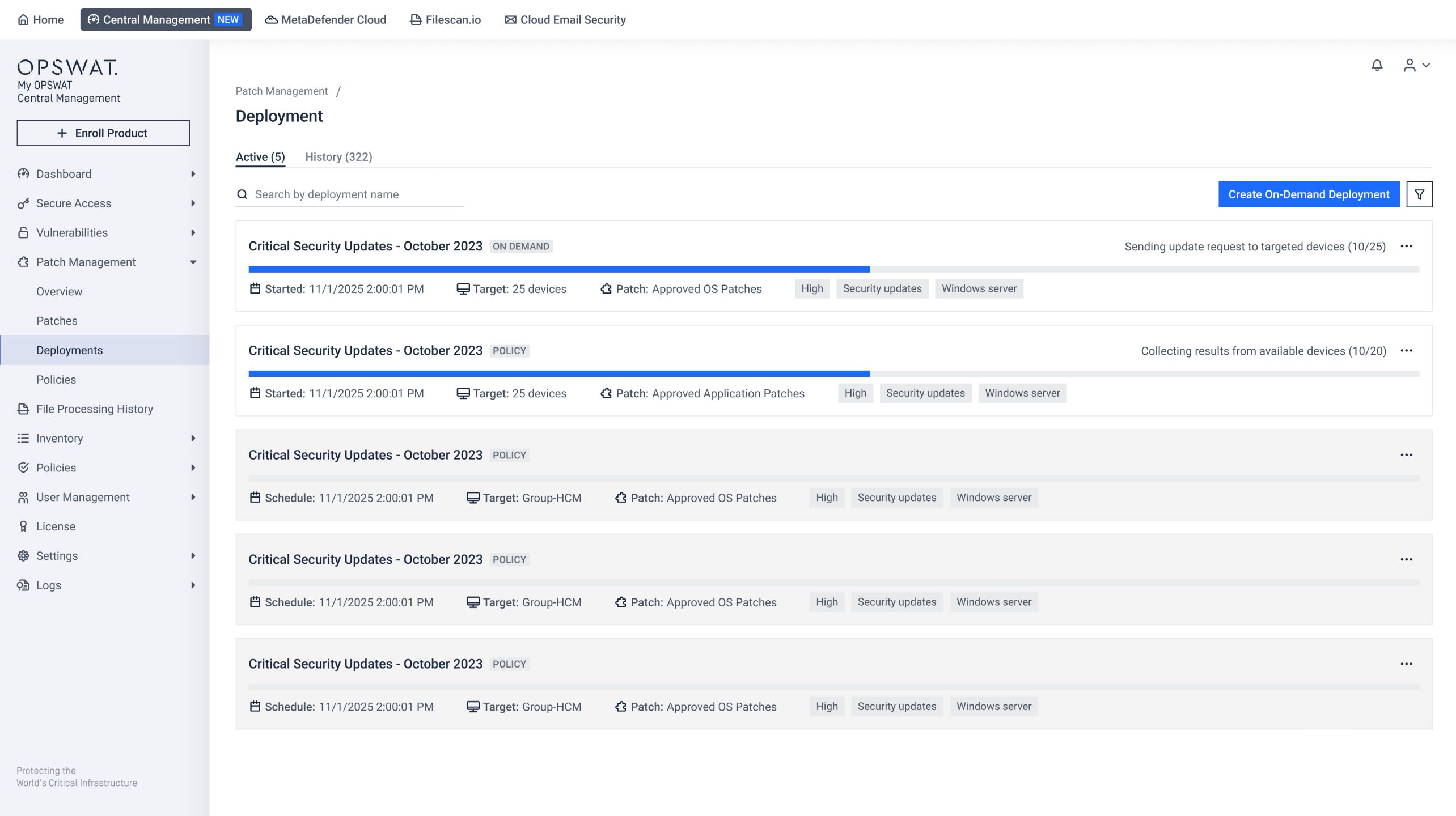
Patch Management 、インタラクティブなダッシュボードが導入され、デバイス、未適用パッチ、および展開の管理が効率化されました。これにより可視性と監査性が向上し、組織はパッチの状態を追跡し、展開を管理し、コンプライアンスを徹底し、脆弱性への対応をより効率的に行うことが可能になります。管理者は「My Central Management 」から新しいPatch Management 簡単に切り替えてCentral Management 更新された設定および展開ワークフローCentral Management になりました。
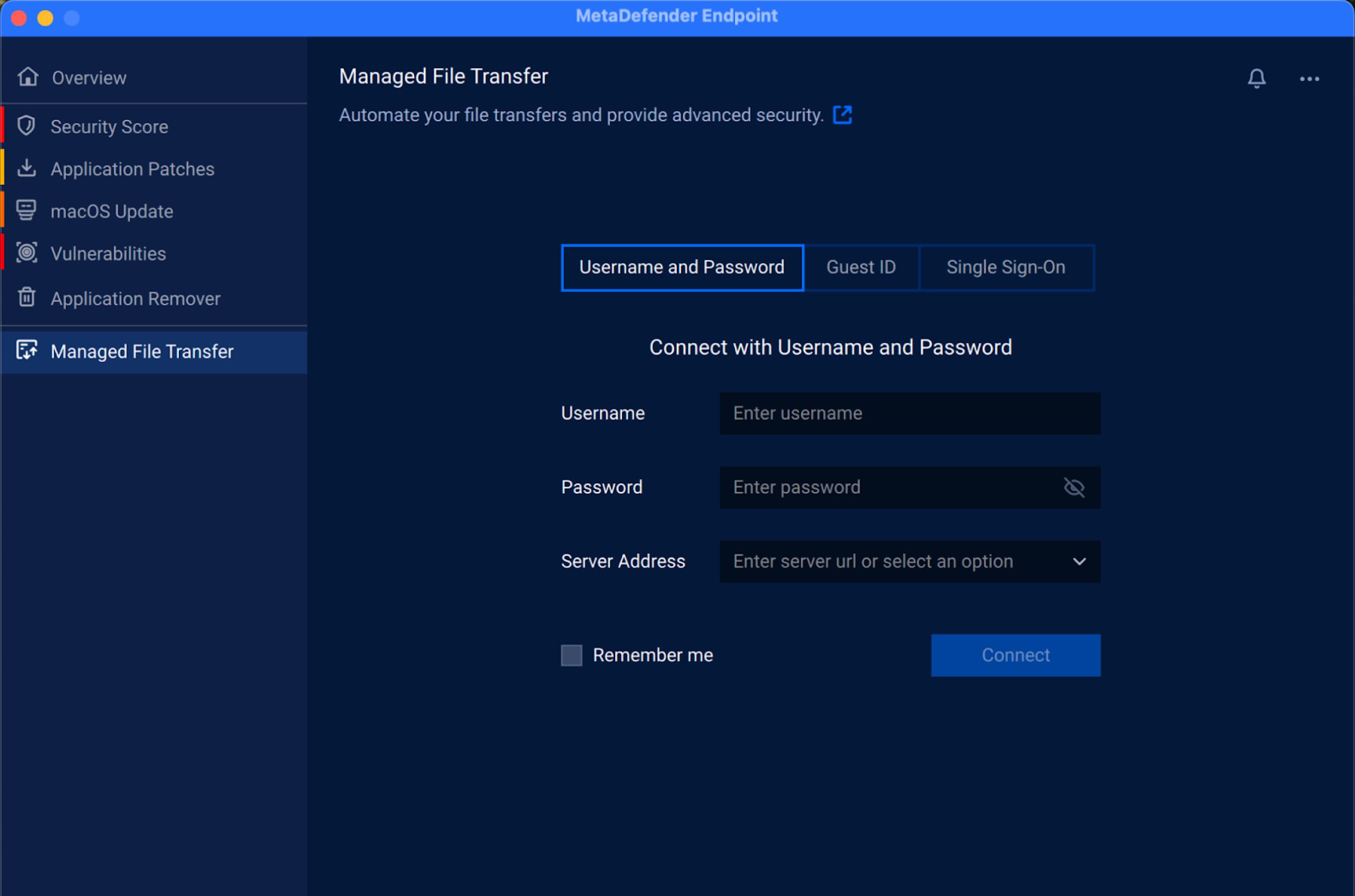
macOSでManaged File Transfer 利用可能になりました
Managed File Transfer に対応し、エンドポイント間での安全かつ管理されたファイル転送が可能になりました。この機能強化により、組織は一貫したデータ転送ポリシーを徹底し、不正なファイル共有のリスクを低減するとともに、macOSデバイスに対する可視性と管理を強化することができます。
多言語対応の拡充
今回のリリースでは、言語の切り替えが簡単に行えるようになり、ユーザーは英語、スペイン語、アラビア語、日本語、ヘブライ語をすばやく選択できるようになりました。この機能は、「Media 」および「周辺機器制御」機能のトレイアイコンから利用でき、グローバルチームにとってより直感的で使いやすい環境を提供します。
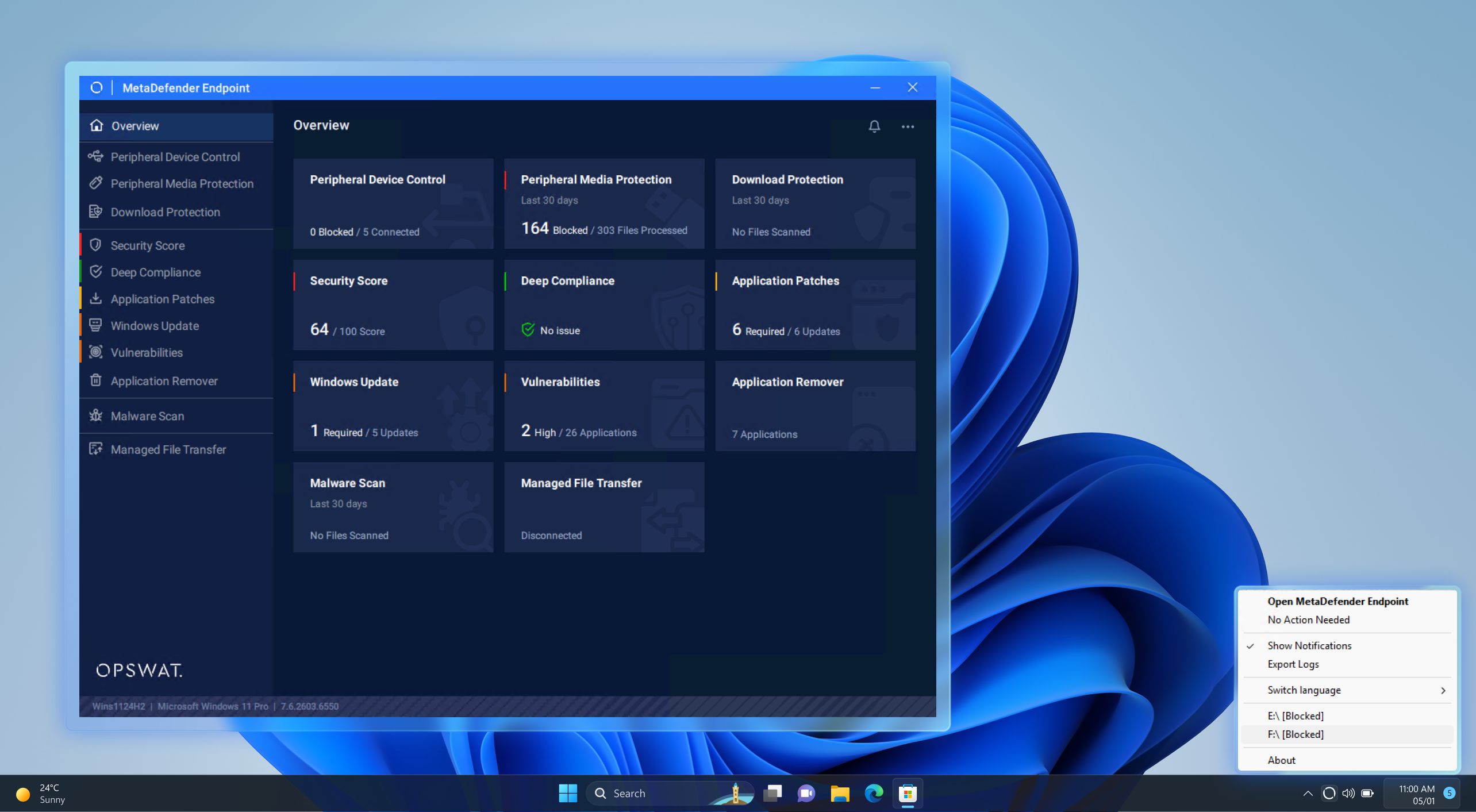
重要なファイルの誤削除を防ぐ
ユーザーが重要なファイルを誤って削除してしまうのを防ぐため、新しい警告ポップアップを追加しました。この追加のチェック機能により、組織はデータ損失のリスクを軽減し、業務の混乱を回避し、機密資産をより厳格に管理できるようになります。
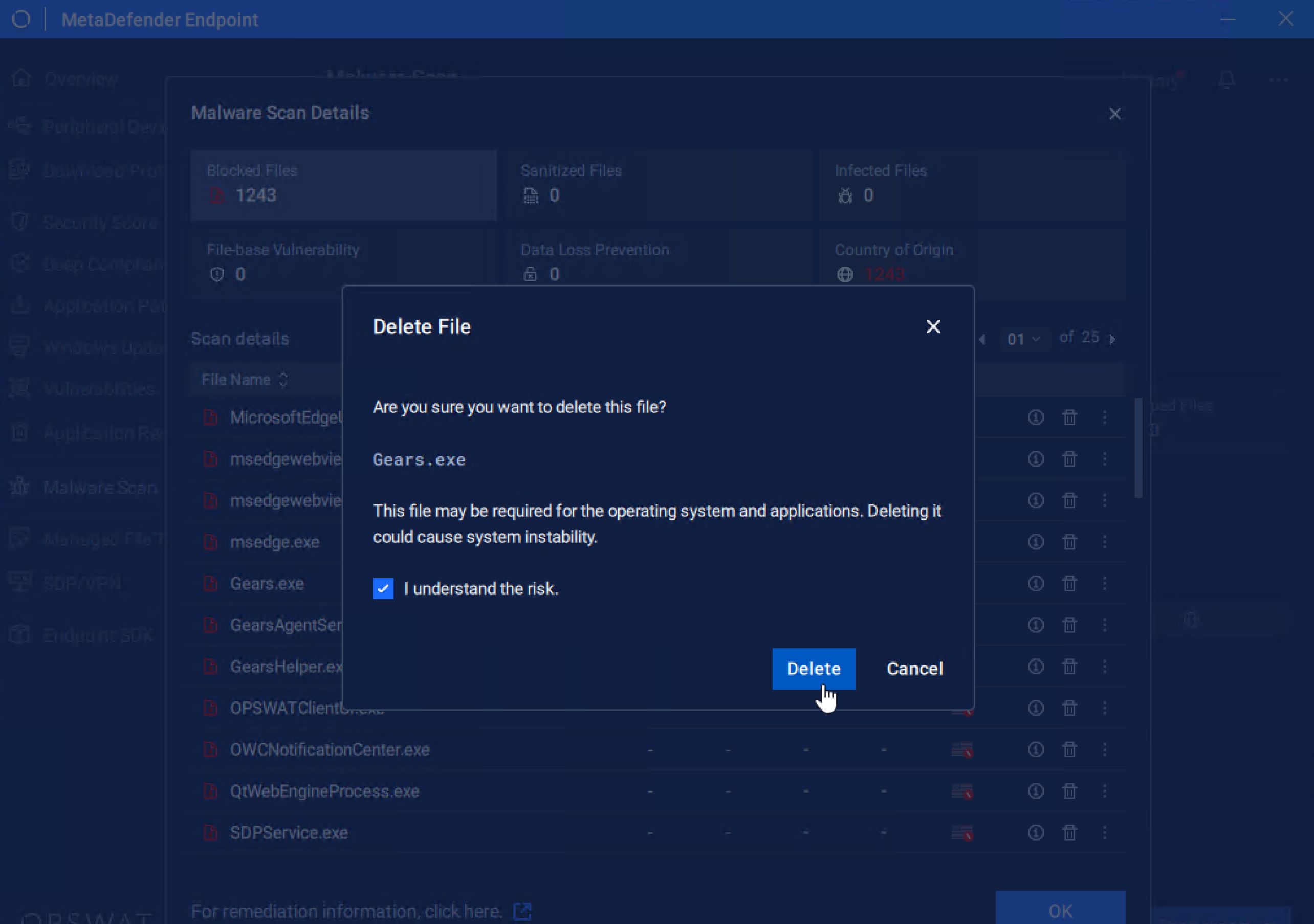
更新メカニズムの改善
更新メカニズムを改善し、ローカルシステムの時刻に関係なく、最新の脆弱性およびパッチデータベースが利用可能になった時点で速やかに取得できるようになりました。これにより、あらゆる環境において、より信頼性が高く一貫性のある保護と、常に最新の防御機能を実現します。
シームレスなアプリケーション制御を実現する最適化されたワークフロー
今回のリリースでは、「Application Control」機能により、アプリケーションの無効化処理が従来の3倍の速度で行えるようになり、脅威への対応を迅速化し、エンドポイント全体での露出時間を最小限に抑えることが可能になりました。
また、「Application Control」機能内の分類ワークフローを最適化することで、アプリケーションの分類精度を向上させました。これにより、アプリケーションをより正確に識別し、より確実なポリシー適用が可能になりました。
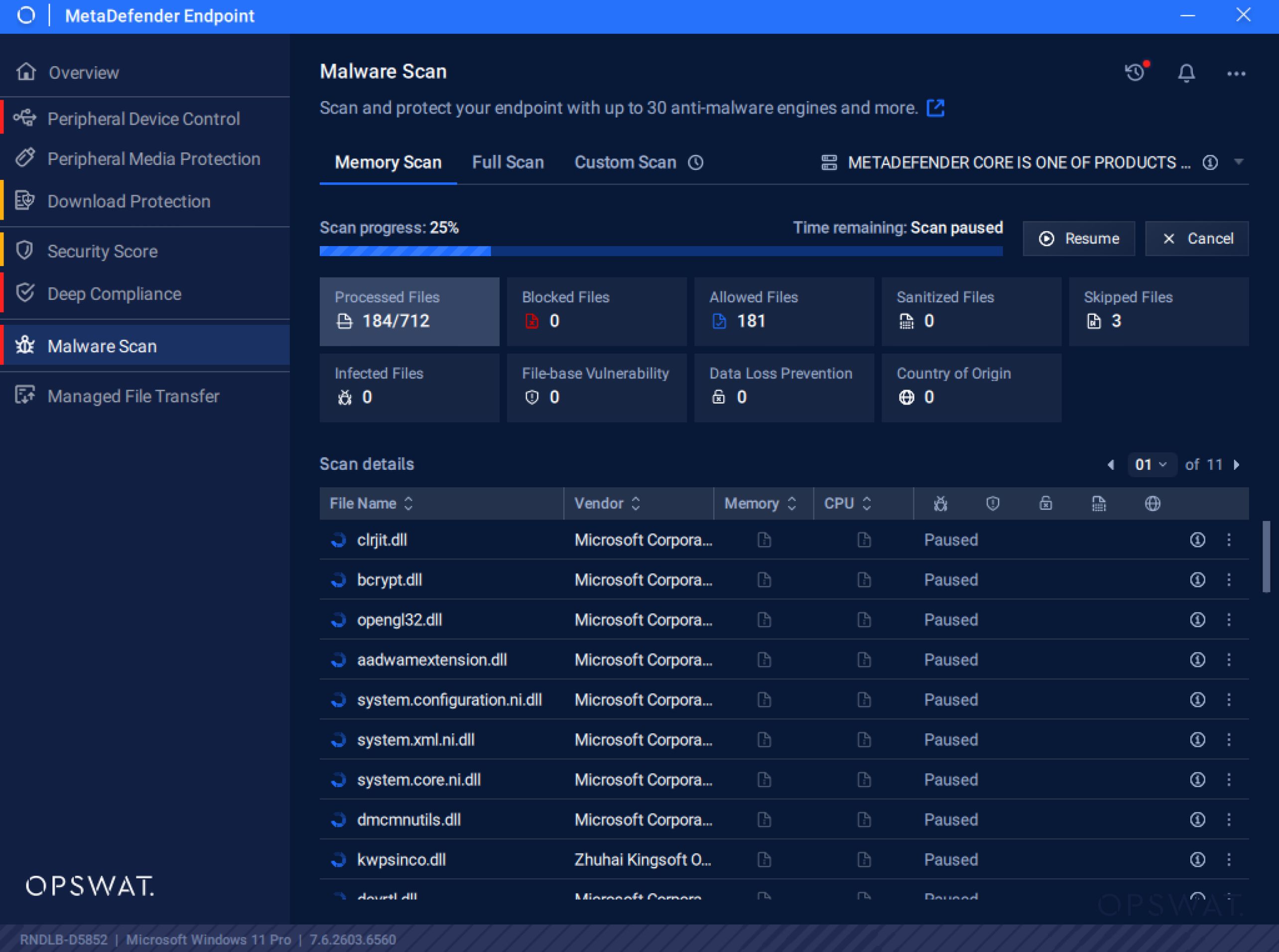
マルウェアスキャンの柔軟性の向上
マルウェアスキャンの一時停止および再開機能を追加しました。これにより、ユーザーはスキャンの実行方法やタイミングを自由に制御できるようになります。この機能強化により、スキャンに要する帯域幅が最適化され、タスクの優先順位付けがより柔軟に行えるようになるため、重要なワークフローを妨げることなく、継続的な保護を実現します。
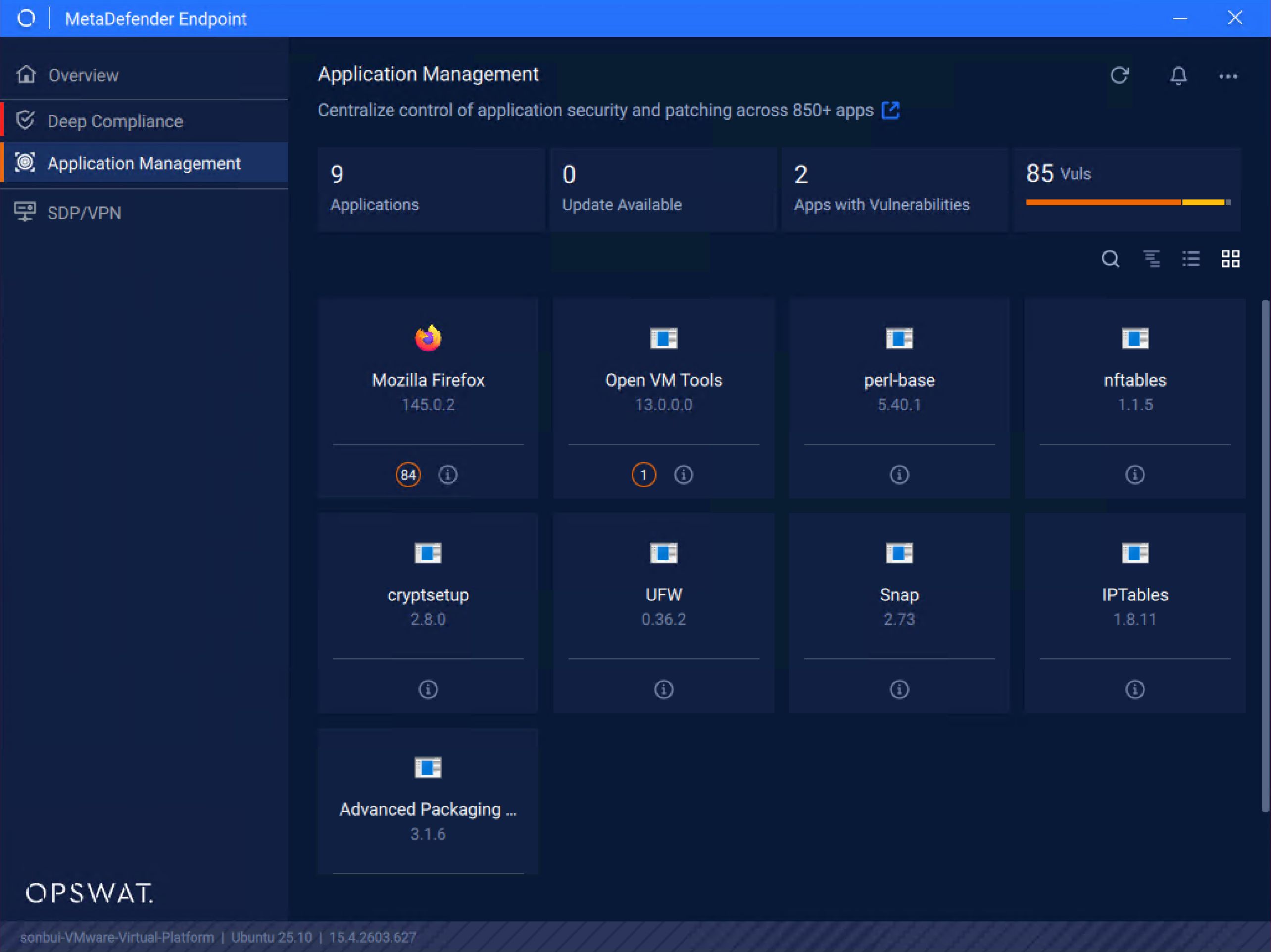
Linux環境におけるユーザー体験の向上
今回の新バージョンでは、最新のUbuntu 25を実行しているデバイスにおけるユーザーログインの検出機能が改善され、ユーザーインターフェースがスムーズかつ安定して動作するようになりました。さらに、MetaDefender Endpoint LinuxのWayland専用環境Endpoint 、最新のLinuxシステムとの互換性が拡大され、より一貫性のあるシームレスなユーザー体験を提供します。
MetaDefender Endpoint の最新情報
TMPS3USB ホワイトリスト登録のサポート
MetaDefender Endpoint 最新リリースでは、TMPS3USB ホワイトリスト登録に対応しました。これにより、これらのデバイスはブロック期間の対象外となり、初期化時に自動実行プロセスがドライブにアクセスできるようになるため、シームレスなデバイス操作が可能になります。この機能強化により、セキュリティ制御を維持しつつ、信頼できるデバイスにおける遅延を軽減できます。
2段階認証による管理者パスワードのセキュリティ強化
DPAPIとAESを用いた2段階暗号化により、管理者資格情報のセキュリティが強化されました。このアップグレードにより、設定変更は大幅に強化されたセキュリティで保護され、不正な復号化が防止されます。
次世代Endpoint ソリューション
世界中の組織、機関、団体が重要なエンドポイントの保護にMetaDefender Endpoint 信頼している理由をご覧ください。今すぐエキスパートにご相談ください。

