見逃せないアップデート:Office 2016 および Office 2019 のサポート終了

今すぐ読む
サイト翻訳には人工知能を利用しており、正確性を追求しておりますが、必ずしも100%正確とは限りません。ご了承ください。

MetaDefender Drive™ v4.4.0 Release

Policy-Based Unsafe Device Determination and OPSWAT’s AI-Predictive Threat Detection for All Engine Tiers
By OPSWAT
この記事を共有する

OPSWAT is excited to announce the release of MetaDefender Drive v4.4.0. This release offers advanced control over device trust determination and integrates Predictive Alin AI, with its AI-predictive threat detection, across all engine tiers, enabling improved security for transient devices within air-gapped environments.

Policy-Based Unsafe Device Determination

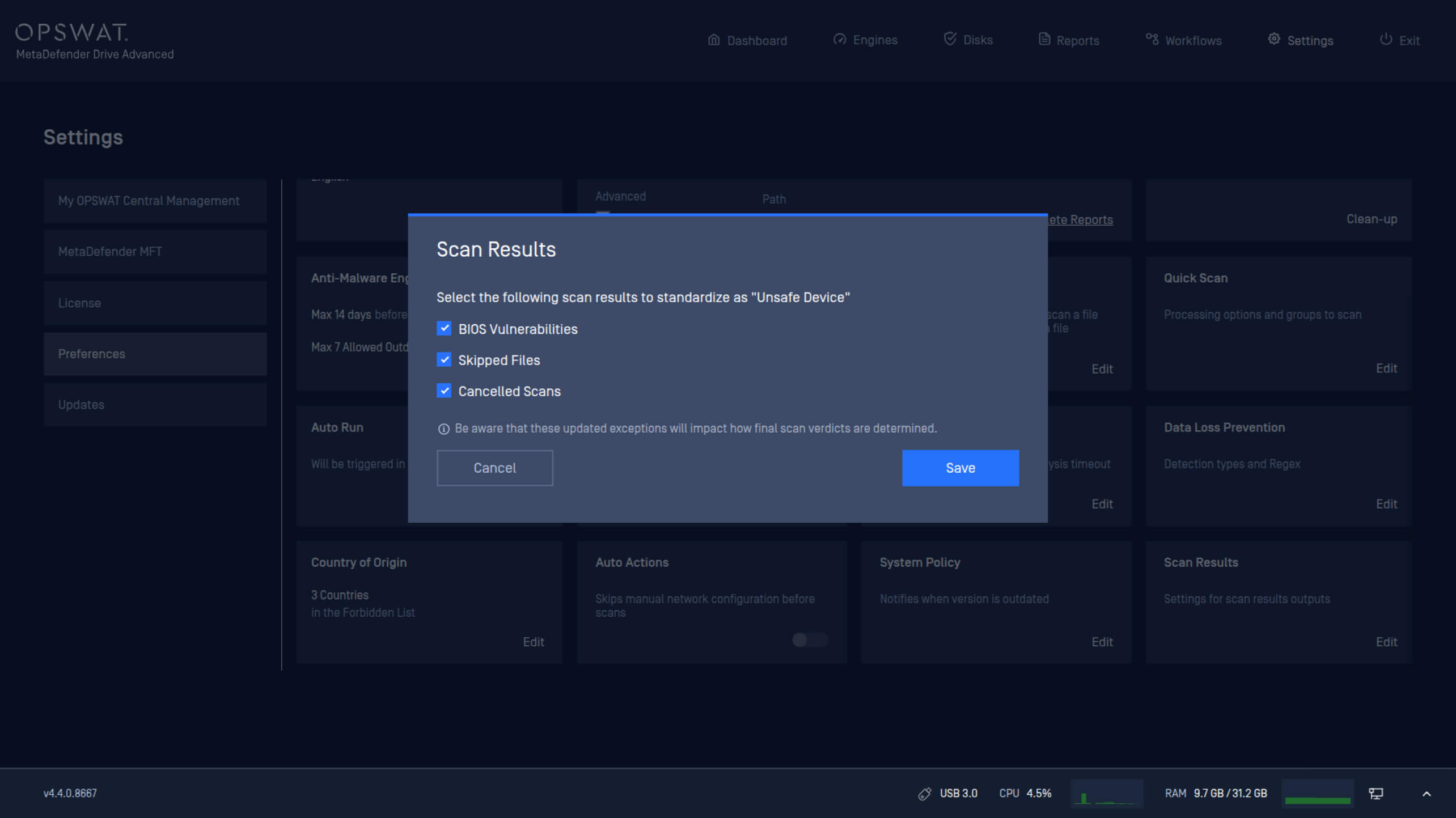
Critical infrastructure regulations require varying criteria to determine whether a device should be trusted before it connects to critical systems within air-gapped zones. This release introduces new policy settings that enable administrators to define conditions for classifying a device as unsafe.

MetaDefender Drive administrators can now configure device safety policies based on:

  • BIOS status.
  • Skipped files during scanning.
  • Cancelled scans.

Enabling Predictive Alin AI Across All Engine Tiers

MetaDefender Drive now integrates Predictive Alin AI across all engine tiers. It comes with the capability to forecast outcomes before execution for deeper and more accurate threat detection. This integration helps detect malicious files on transient devices before they are connected to critical systems.

License Reactivation to Enable Predictive Alin AI

To activate Predictive Alin AI, license reactivation is required.

Reactivate on MetaDefender Drive

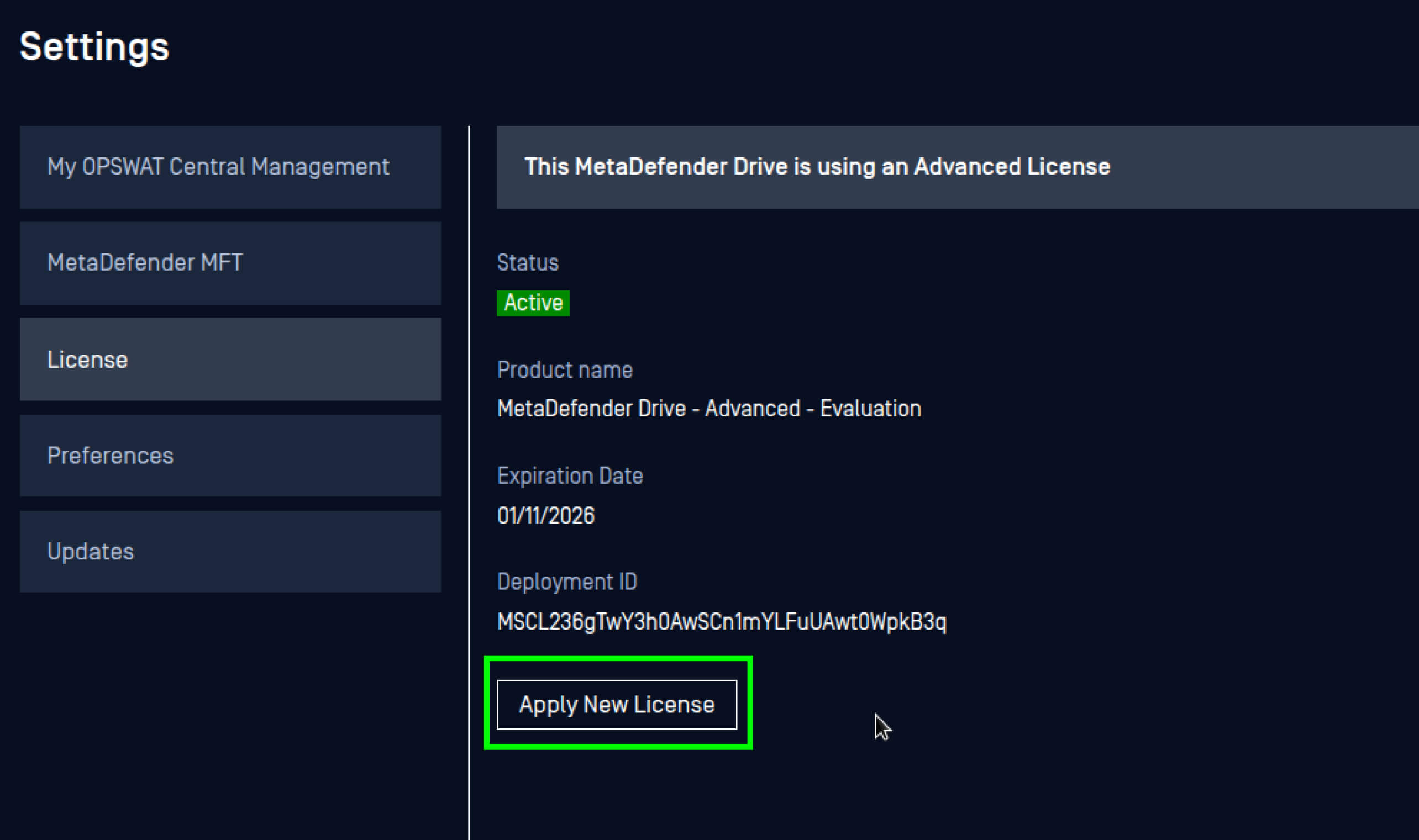
  1. Navigate to Settings, then Preferences, and open the License settings.
  2. Click Apply New License.

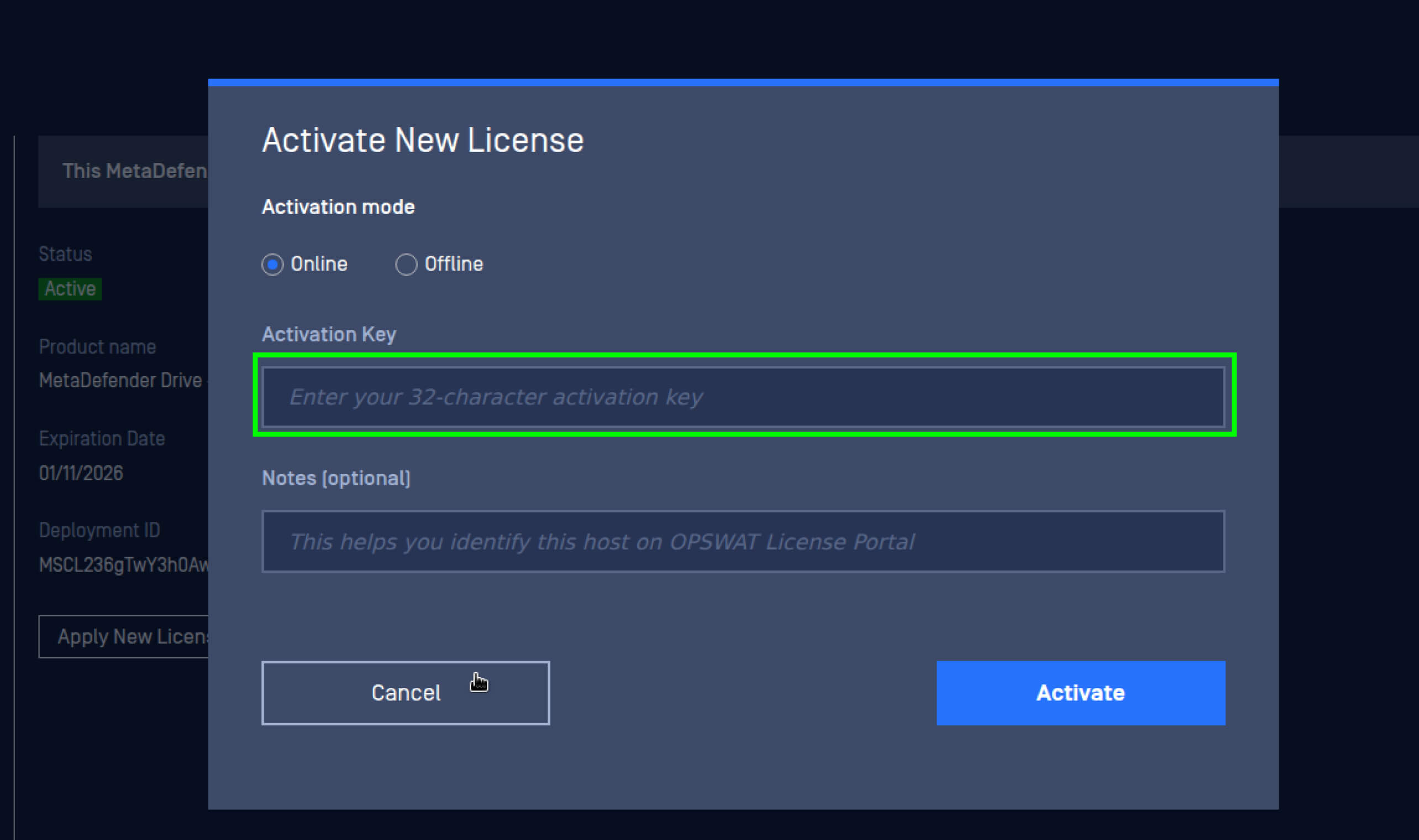
3. Enter the new license key, then click Activate.

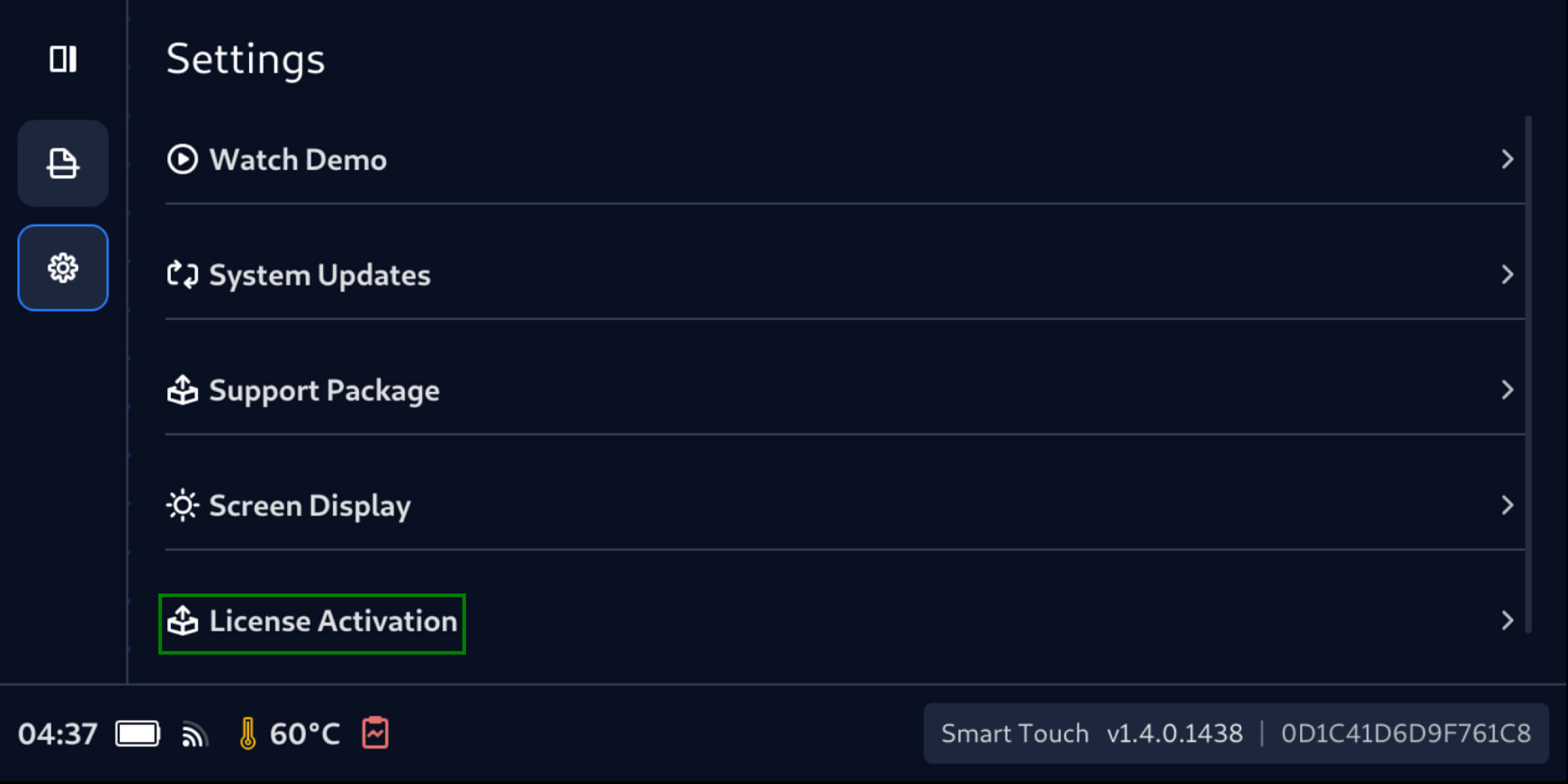
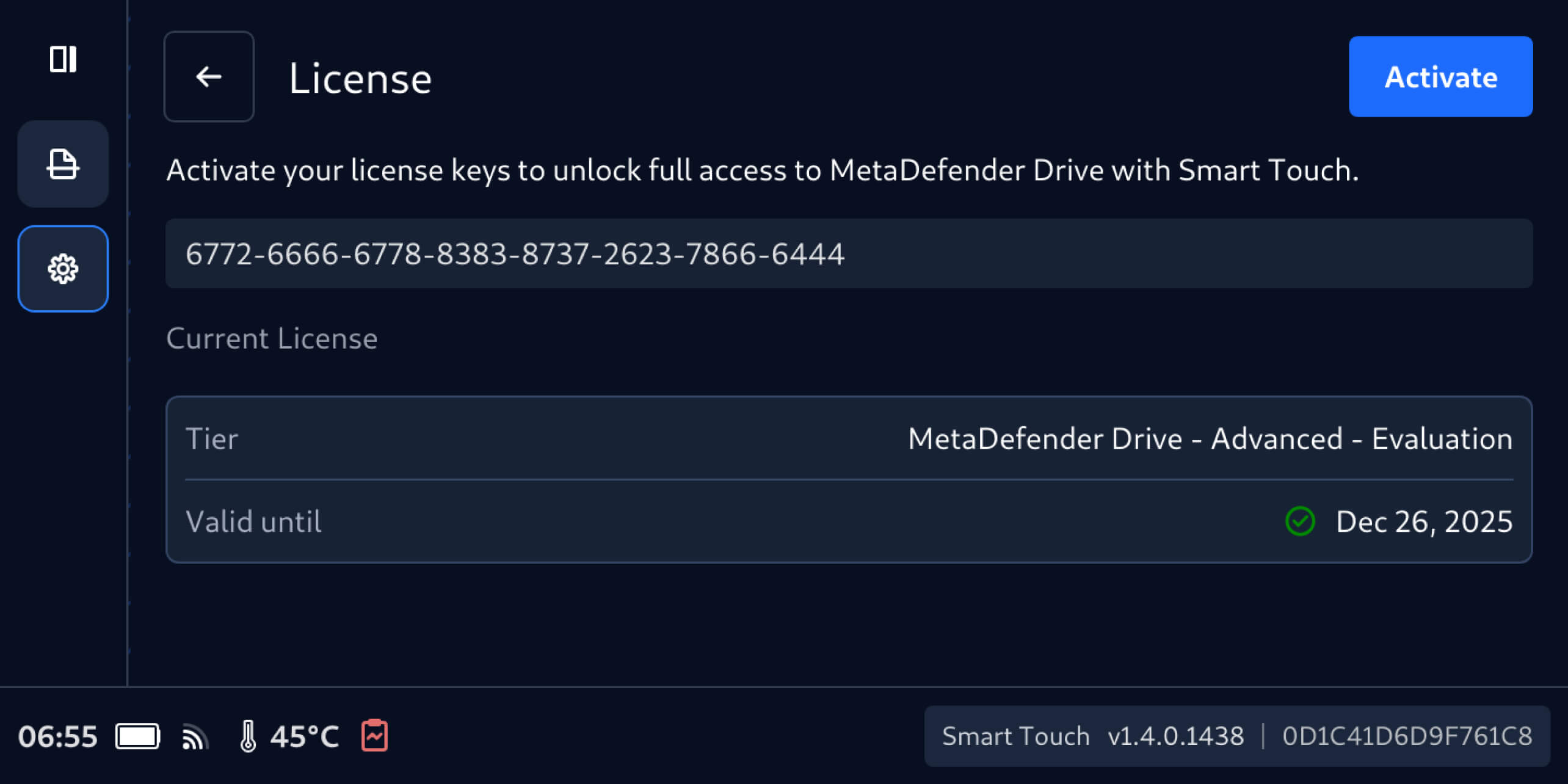
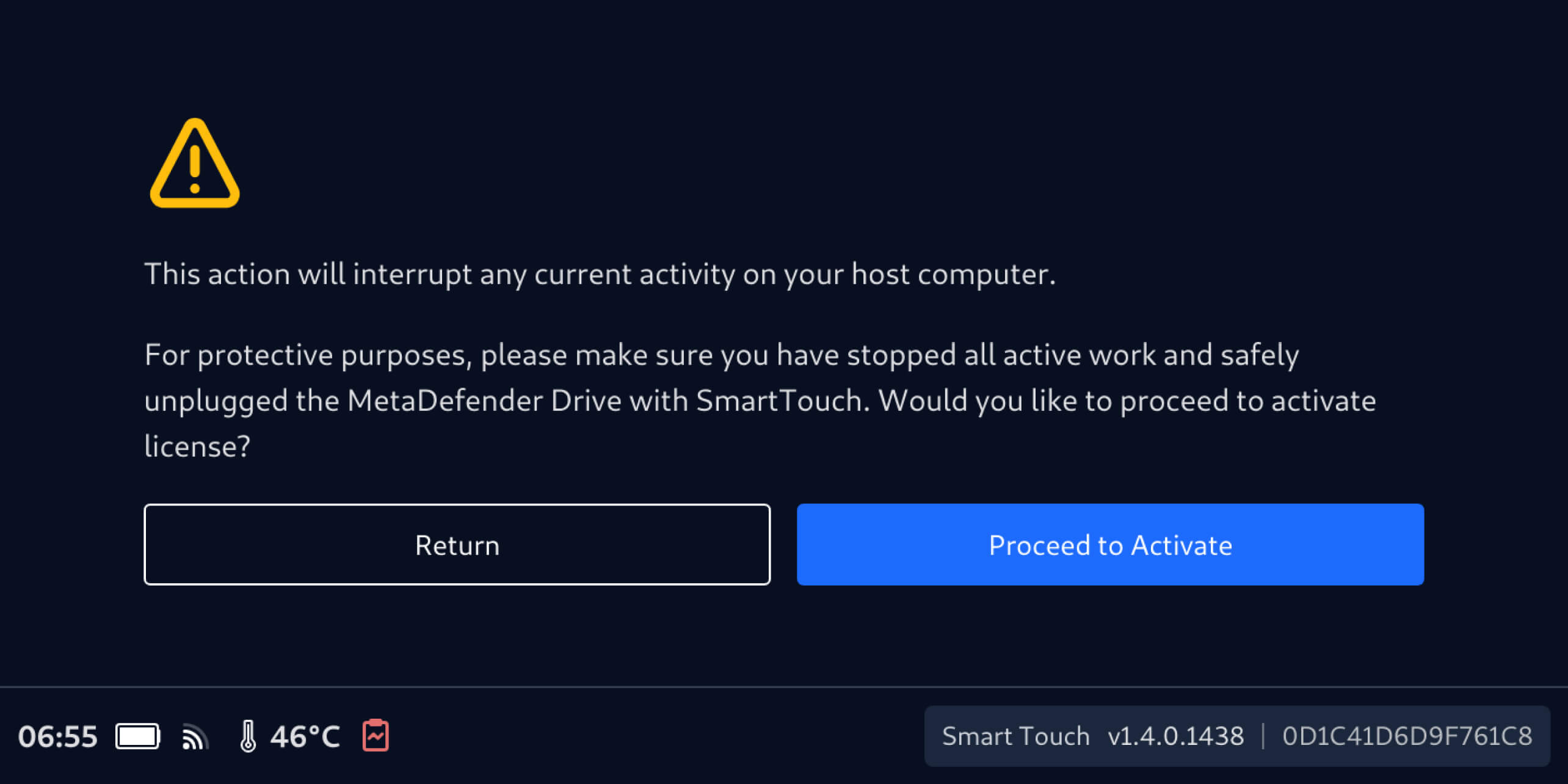
      Reactivate on MetaDefender Drive with Smart Touch

      1. Navigate to Settings, then License Activation.

      2. On the License screen, enter the new license key, then tab Activate.

      3. Ensure that MetaDefender Drive with Smart Touch isn’t running any scanning operation on the host device, then tab Proceed to Activate.

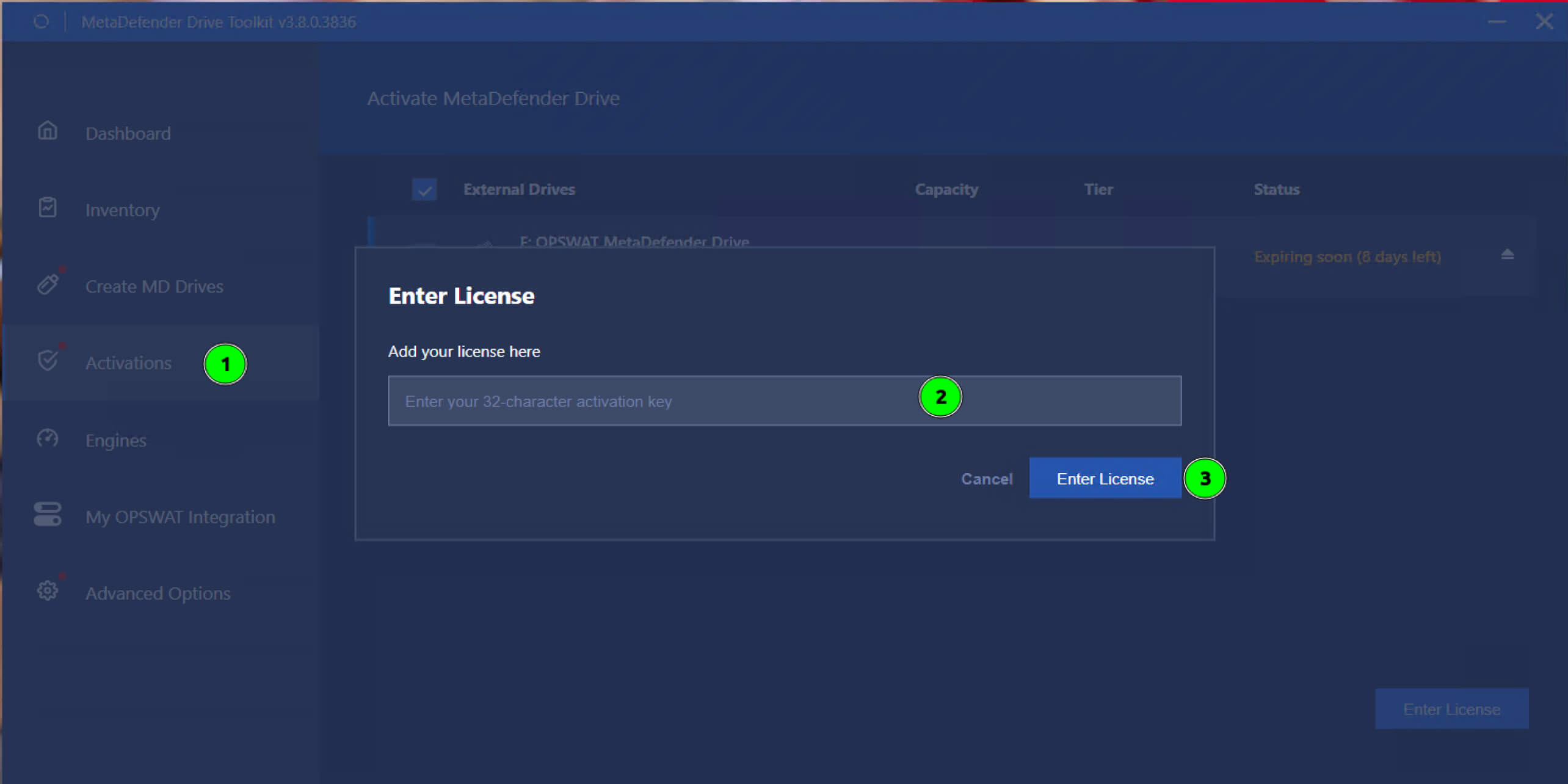
      Reactivate via MetaDefender Drive Toolkit

      1. Open the Activations screen.
      2. Select the MetaDefender Drive that needs to be reactivated.
      3. Enter the new license and click Enter License.

      リリースの詳細 

      • Product: MetaDefender Drive
      • Release Date: December 16, 2025
      • リリースノート 詳細はこちら

      MetaDefender Driveアップデートするには、最新バージョンのMetaDefender Drive Toolkitをダウンロードし、インストール手順に従ってください。

      OPSWATで最新情報をお届けします!

      今すぐご登録ください、 ストーリー、イベント情報などをお届けします。